Office of the City Secretary
**NEW** Lobbyist Online Registration
Beginning Tuesday September 15th, 2026, the Office of the City Secretary launched an ONLINE portal for lobbyist registration which also includes the ability to make your registration payment online.
New Homepage (shown below) can be reached using this link: https://cityofhouston.ethicsefile.com/EfileLobby/login.
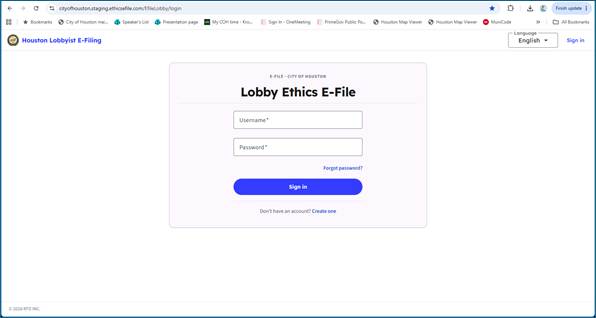
All lobbyists will need to click "create one" to create an account in the new system.
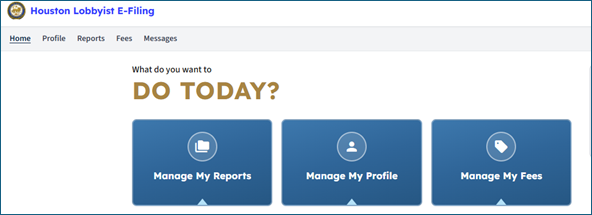
Once logged in, click on "Manage My Reports"
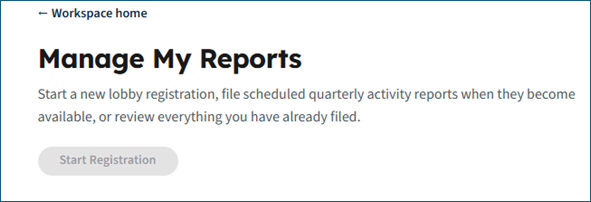
Then click the "Start Registration" button
Once you complete the registration, you will be given the option to pay online.
**Note - If you have already paid a registration fee within the past 12 months, please contact the City Secretary’s Office prior to paying online!
Lobbyist Frequently Asked Questions
- What is changing with the new Lobbyist module?
- When does the new system go live?
- Do I need to create a new account?
- Will my previous registration information still be available?
- Do I still have to pay with a check?
- How do I know my payment was processed?
- What if I don’t receive the email receipt?
- Who do I contact if I cannot log in or encounter errors?
- Can I complete registration on a mobile device?
- What if my information is outdated or incorrect?
Lobbyists will no longer need to travel to City Hall to register in the City Secretary’s Office. The new Lobbyist Registration system is an online, web-based portal available 24/7. The system streamlines registration, improves data accuracy, and integrates secure online payments through Chase. The process is now more intuitive and user‑friendly.
The new module will go live on September 15th.
Yes, all users will be “new” to this system and will have to create an account.
No, you’ll have to enter all your information into the new system.
While you can still bring in a check, the new system includes an online payment option. With online payment, you can pay by credit or debit card, ACH, PayPal, Apple or Google pay.
You will receive an immediate email receipt after your payment is successfully processed.
Check your spam or junk folder. If you still cannot locate it, contact support for assistance.
Please reach out to our support team at lobbyist@houstontx.gov
Yes, the portal supports both desktop and mobile browsers.
You can update your profile directly within the portal before submitting your registration or at any other time.
Instructions to Lobbyists
- Accessing the Lobbyist Portal
- Submitting Lobbyist Registration
- Payment Processing
- Support
Visit the Lobbyist Portal at: https://cityofhouston.ethicsefile.com/EfileLobby/login
Log in using your existing credentials or click “Create one” to create a new account.
Complete all required fields marked in the form.
Upload any supporting documentation as needed.
Review your submission for accuracy.
The final step is "Check for Errors". If the system does not find any, click "Next – File Registration".
You will receive a confirmation email once your submission is accepted.
Payments will now be processed through our integrated JPMC/Chase payment platform.
Follow on‑screen instructions to complete payment.
A digital receipt will be emailed immediately upon successful payment.
If you encounter issues accessing the portal or completing your registration, contact:
Support Email: lobbyist@houstontx.gov
Support Phone: 832-393-1100
Support is available Monday - Friday, 8 AM–5 PM CST.


